Series
Tynker: All About Computers
18 episodes
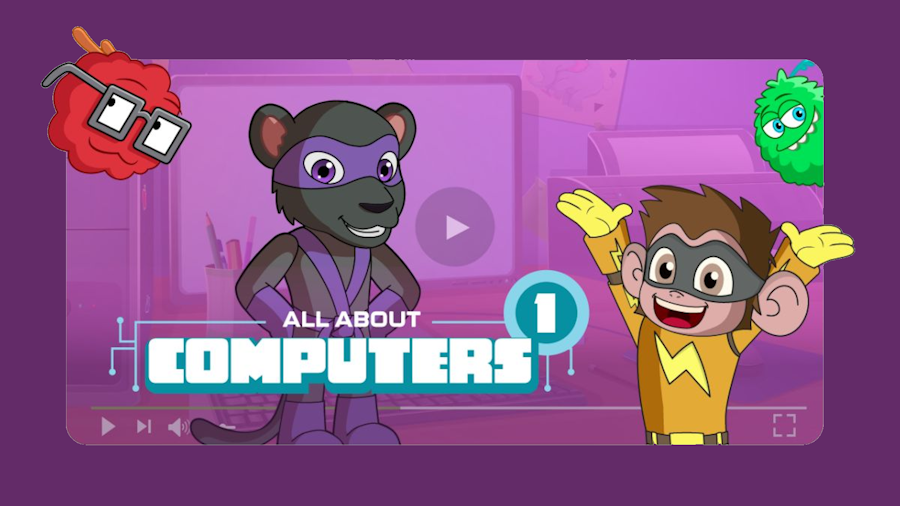
Tynker's All About Computers turns computer-science basics into short animated stories starring a cast of fuzzy monsters and their classmates. Sorted from kindergarten through fifth grade, its episodes cover the two things a class needs when it starts using devices. The computer-science strand explains what an algorithm is, builds and compares algorithms, breaks big problems into smaller parts, reuses code, and models a calm way to troubleshoot. The digital-citizenship strand builds strong passwords, tells a scam or an unkind message from the real thing, gives credit to authors, and covers netiquette and cybersecurity. Each runs three to five minutes.
What Tynker: All About Computers covers
18 episodes in the library, tagged for K–5th. Heaviest coverage: Technology and Social-Emotional Learning. Between them they line up with 29 distinct standards across 3 frameworks.
Episodes per grade
- K
- 5
- 1st
- 5
- 2nd
- 5
- 3rd
- 13
- 4th
- 13
- 5th
- 13
Episodes per subject
- Technology
- 18
- Social-Emotional Learning
- 2
CASEL (Social-Emotional) 4
- CASEL.RDM.2Identify solutions to personal and social problems.
- CASEL.RDM.4Anticipate and evaluate the consequences of your actions before you act.
- CASEL.RS.1Communicate clearly and listen actively.
- CASEL.RS.7Seek help when you need it and offer help when someone else does.
ISTE (Technology) 12
- ISTE.1.5.dAlgorithmic thinking: put steps in order to solve a problem, and recognize what can be automated.
- ISTE.1.2.dDigital privacy: protect personal data and keep your accounts and devices secure.
- ISTE.1.2Digital Citizen: students recognize their responsibilities and opportunities for contributing positively to digital communities.
- ISTE.1.2.aDigital footprint: manage your digital identity and make safe, legal, and ethical choices online.
- ISTE.1.2.bOnline interactions: treat people online with empathy and contribute responsibly to shared spaces.
- ISTE.1.5Computational Thinker: students develop strategies for understanding and solving problems using technology.
+ 6 more
- ISTE.1.6.bOriginal and remixed works: create original work, or remix digital resources responsibly and with credit.
- ISTE.1.1.dTechnology fundamentals: understand how the technology you use works, and try out new tools confidently.
- ISTE.1.4.cPrototypes: build, test, and improve prototypes through cycles of revision.
- ISTE.1.5.aProblem definitions: state a problem in a way that data analysis or an algorithm could help solve.
- ISTE.1.5.cDecompose problems: break a complex system or task into smaller parts.
- ISTE.1.6.dCustomize the message: shape and publish work for a particular audience.
CSTA (Computer Science) 13
- 1A-AP-08Model daily processes by creating and following algorithms (sets of step-by-step instructions) to complete tasks
- 1A-IC-16Compare how people live and work before and after the implementation or adoption of new computing technology
- 1B-IC-19Brainstorm ways to improve the accessibility and usability of technology products for the diverse needs and wants of users.
- 1A-AP-13Give attribution when using the ideas and creations of others while developing programs.
- 1A-IC-18Keep login information private, and log off of devices appropriately.
- 1A-NI-04Explain what passwords are and why we use them, and use strong passwords to protect devices and information from unauthorized access.
+ 7 more
- 1B-AP-08Compare and refine multiple algorithms for the same task and determine which is the most appropriate.
- 1B-AP-11Decompose (break down) problems into smaller, manageable subproblems to facilitate the program development process
- 1B-AP-12Modify, remix, or incorporate portions of an existing program into one's own work, to develop something new or add more advanced features.
- 1B-AP-14Observe intellectual property rights and give appropriate attribution when creating or remixing programs.
- 1B-CS-03Determine potential solutions to solve simple hardware and software problems using common troubleshooting strategies
- 1B-IC-20Seek diverse perspectives for the purpose of improving computational artifacts.
- 1B-NI-05Discuss real-world cybersecurity problems and how personal information can be protected.
Every episode is vetted and tagged before it goes in. Pick your state in the filters above to see your own state’s codes alongside these.
18 results
Accessibility and Usability
Tynker: All About Computers · 2023
4 min3rd4th5th
Computers: Then vs Now
Tynker: All About Computers · 2023
5 minK1st2ndThe Evolution of Technology
Tynker: All About Computers · 2023
4 minK1st2ndCopying with Good Manners
Tynker: All About Computers · 2023
3 minK1st2ndMaking Strong Passwords
Tynker: All About Computers · 2023
4 minK1st2ndWhat is Cybersecurity?
Tynker: All About Computers · 2023
4 minK1st2ndHow to Give Credit to an Author?
Tynker: All About Computers · 2023
5 min3rd4th5thUsing Passwords to Keep Safe Online
Tynker: All About Computers · 2023
4 min3rd4th5thWhat is Netiquette?
Tynker: All About Computers · 2023
4 min3rd4th5thRecognizing Online Abuse
Tynker: All About Computers · 2023
4 min3rd4th5thWhat is an Algorithm? (All About Computers)
Tynker: All About Computers · 2023
5 min3rd4th5thIntroduction to Algorithms (All About Computers)
Tynker: All About Computers · 2023
5 min3rd4th5thBuilding Algorithms (All About Computers)
Tynker: All About Computers · 2023
4 min3rd4th5thComparing Algorithms (All About Computers)
Tynker: All About Computers · 2023
5 min3rd4th5thWhat is Decomposition? (All About Computers)
Tynker: All About Computers · 2023
4 min3rd4th5thReusing Program Code (All About Computers)
Tynker: All About Computers · 2023
4 min3rd4th5thTroubleshooting (All About Computers)
Tynker: All About Computers · 2023
6 min3rd4th5thImproving Computational Artifacts (All About Computers)
Tynker: All About Computers · 2023
5 min3rd4th5th


